Upgrade Your WordPress Website Navigation Today
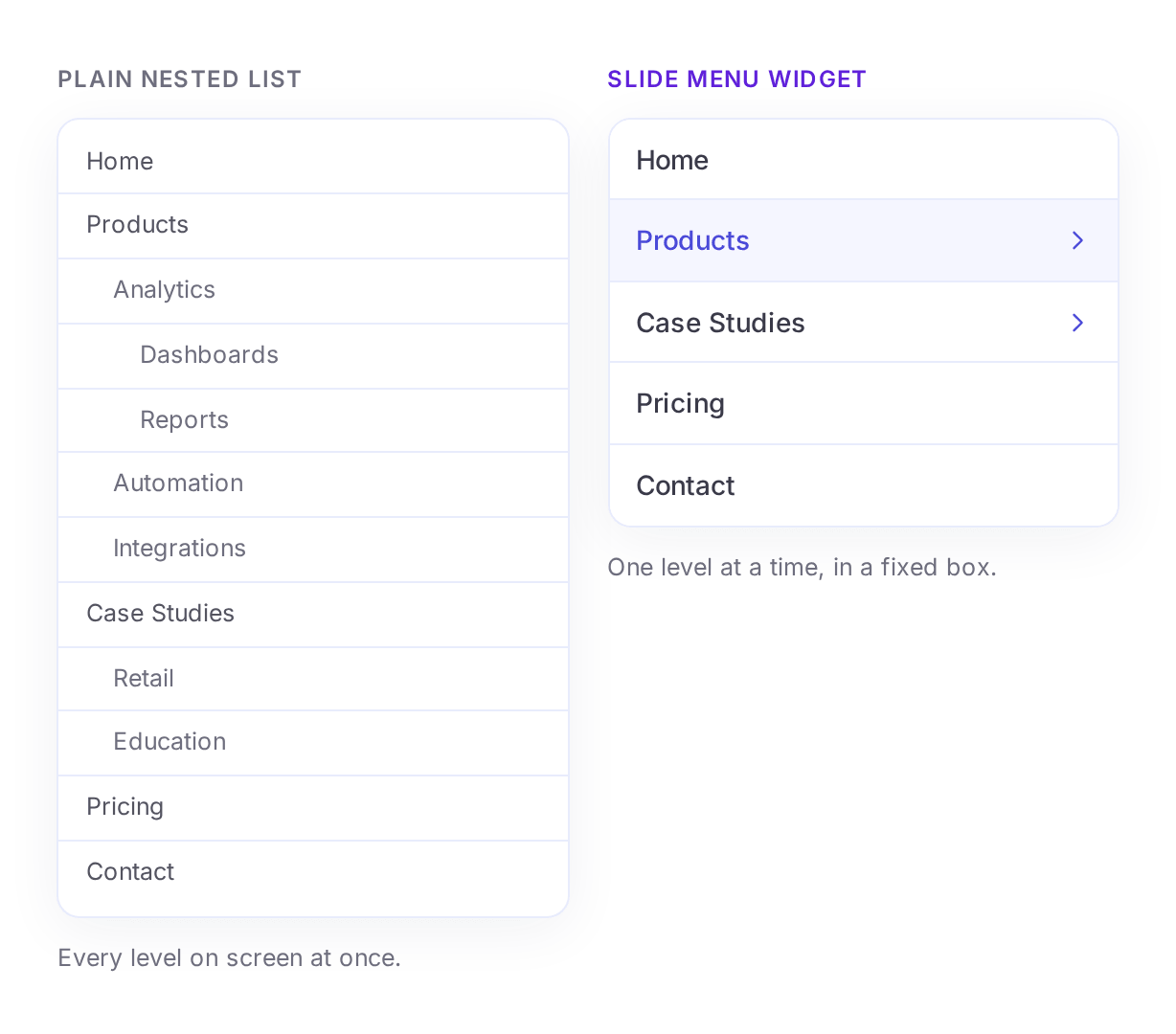
A compact, multi-level menu that lives right on your page: sub-menus slide in, a Back row takes you home, and the box resizes itself to fit.
Instant setup
Create Stunning Slide Menus Instantly
Add a stylish slide menu to your website without any hassle. Replace basic navigation with a more interactive, smooth, and visually appealing solution.
Effect
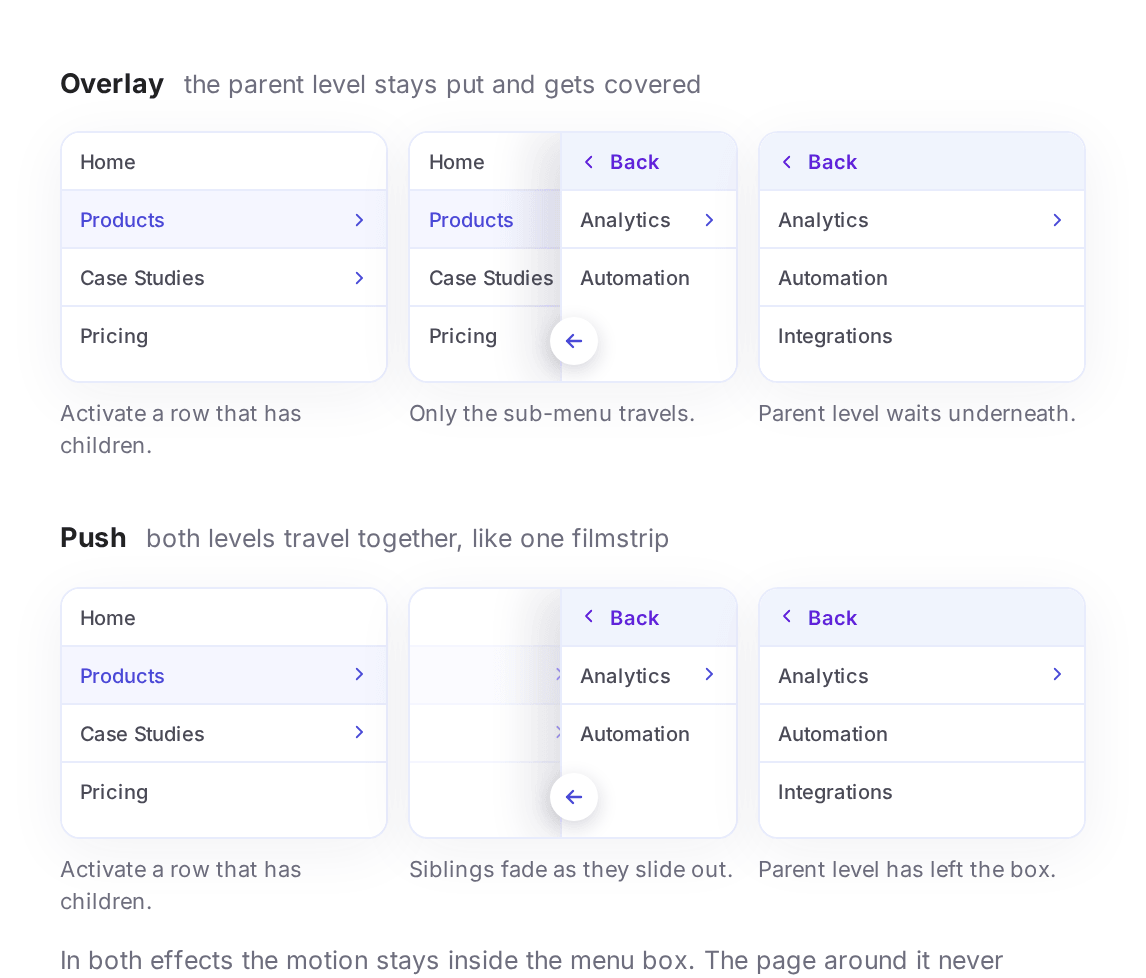
Overlay or Push: Choose How Sub-Menus Move
Take full control of how each level appears. Overlay slides the sub-menu in over the current level, while Push slides the current level out as the sub-menu arrives.
Direction
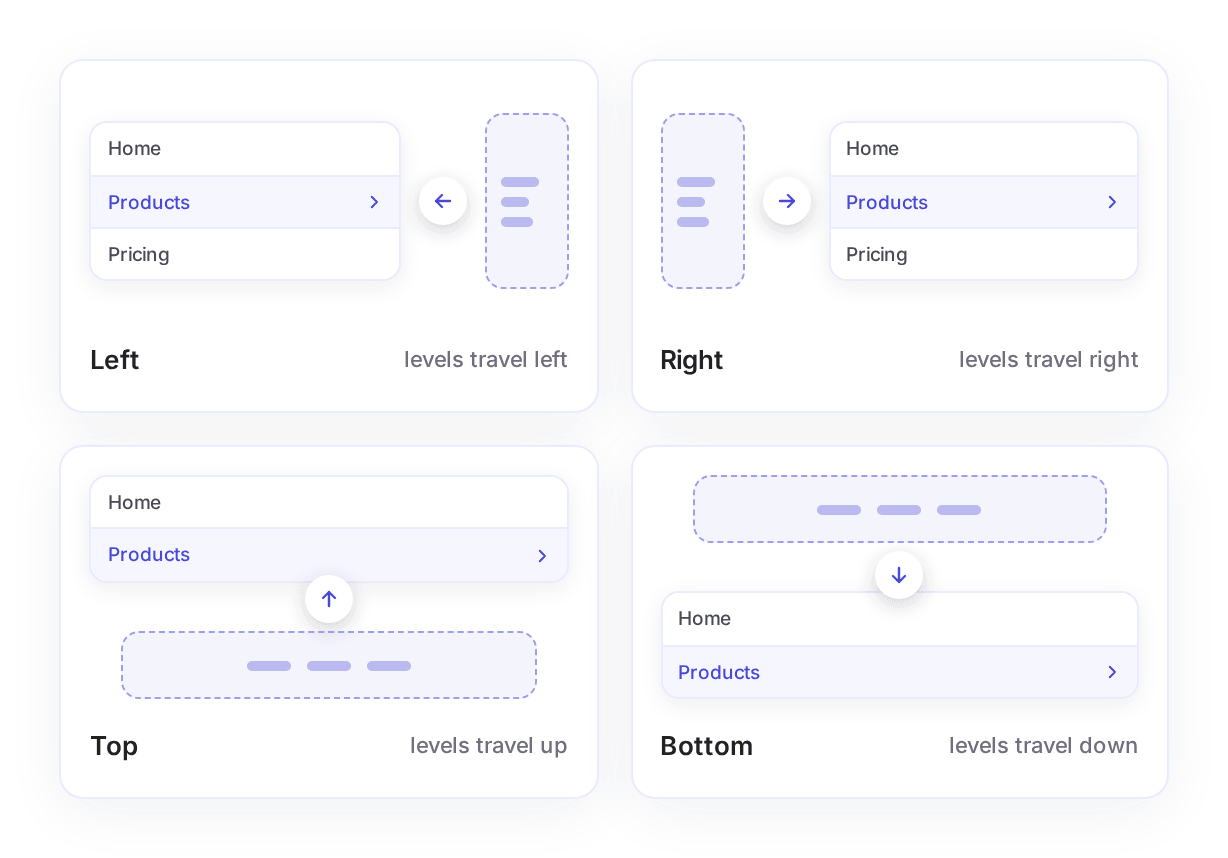
Control the Slide Direction
Slide levels in from the left, right, top, or bottom: whatever fits your design. The direction sets the way levels travel inside the box, not which edge of the screen they come from.
Sub-menu Behavior
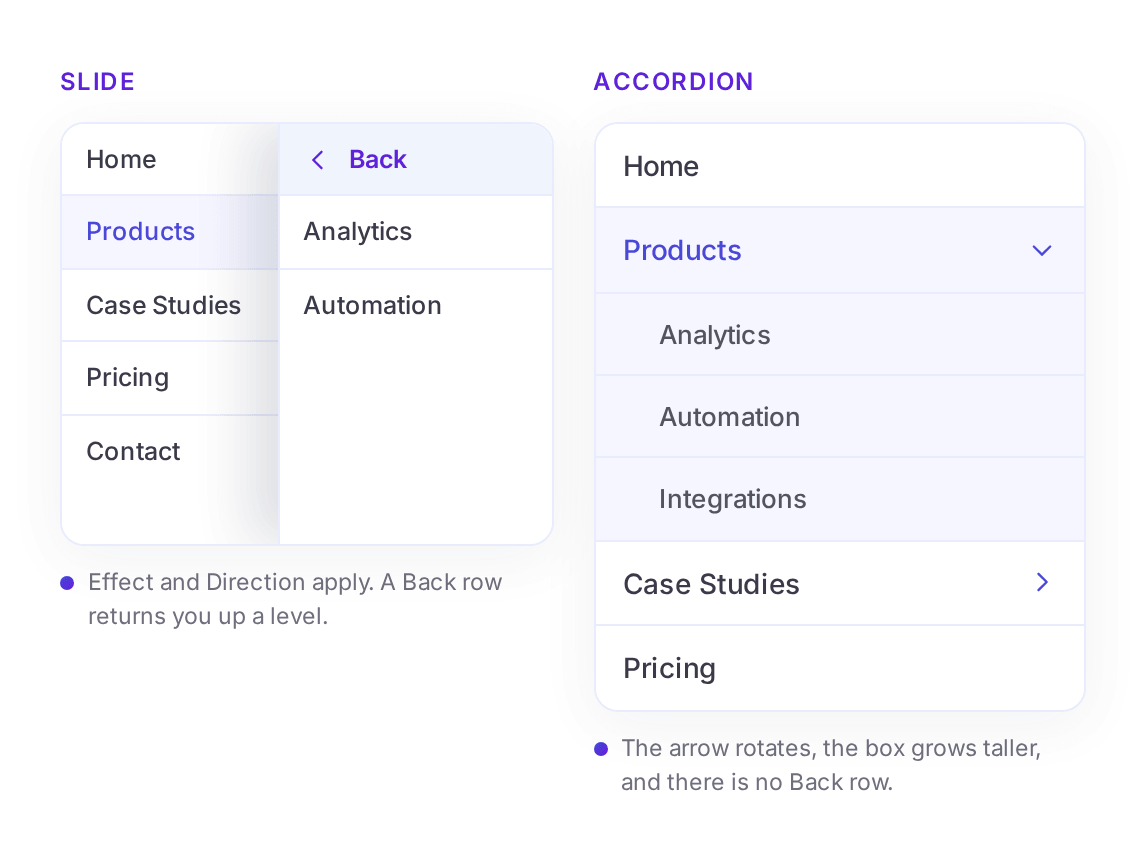
Slide or Accordion, Your Call
Prefer levels stacked instead of stacked-on-top? Switch to Accordion and sub-menus expand in place beneath their parent item, no panels involved.
Indicators
Pick Your Arrow Icons
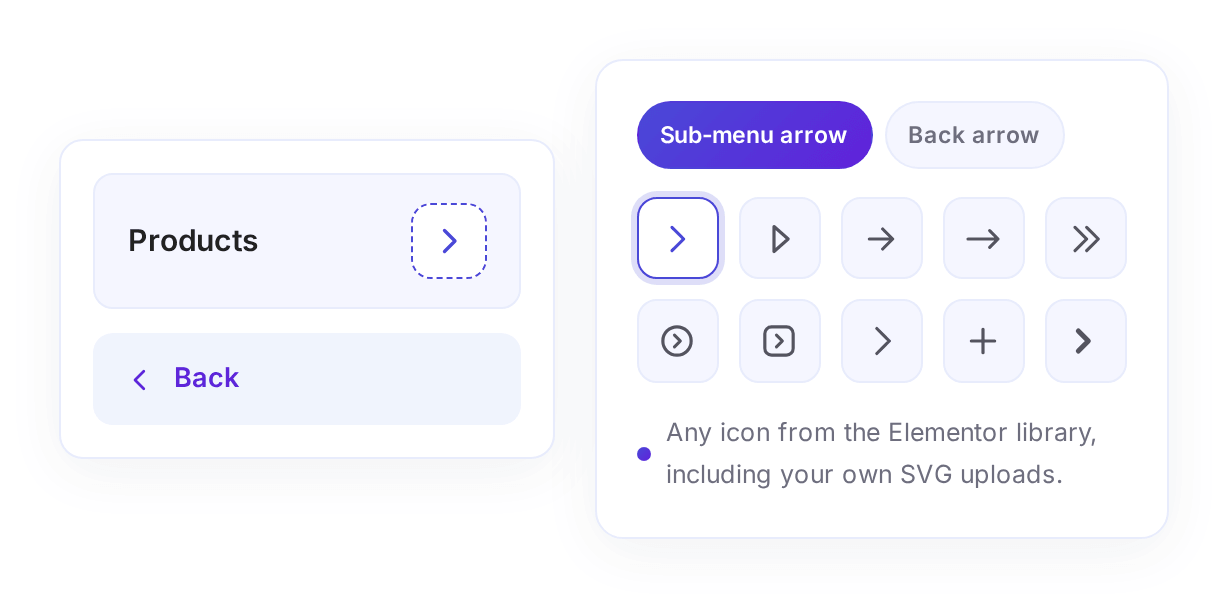
Choose the sub-menu arrow and the back arrow from the full Elementor icon library so the menu's indicators match your design.
Full styling control
Customize Every Detail
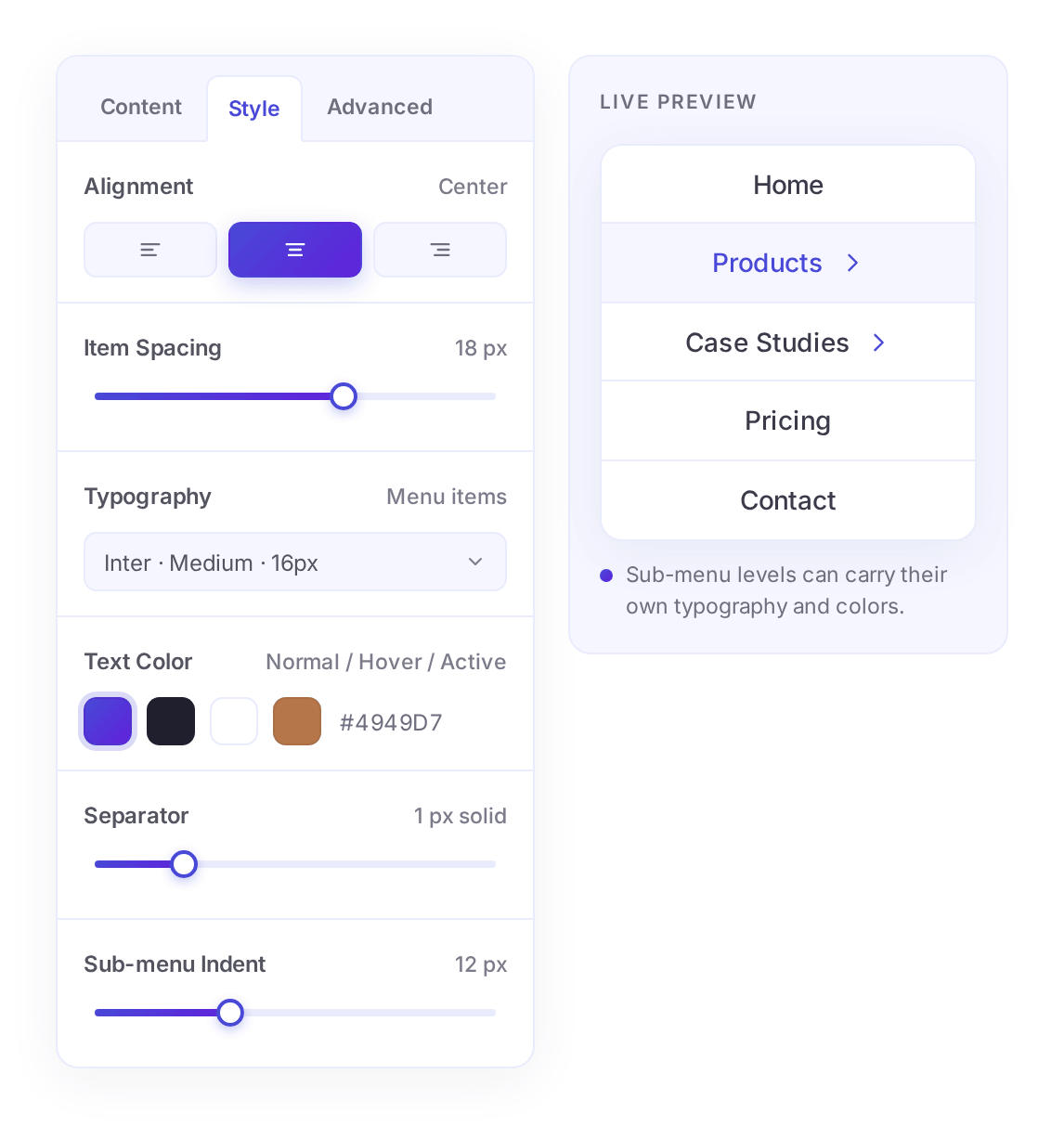
Tailor your menu with a wide range of customizable options. Adjust alignment, spacing, typography, colors, and more for both main menu items and sub-menu levels.
On Brand
Match the Menu With Your Brand Effortlessly
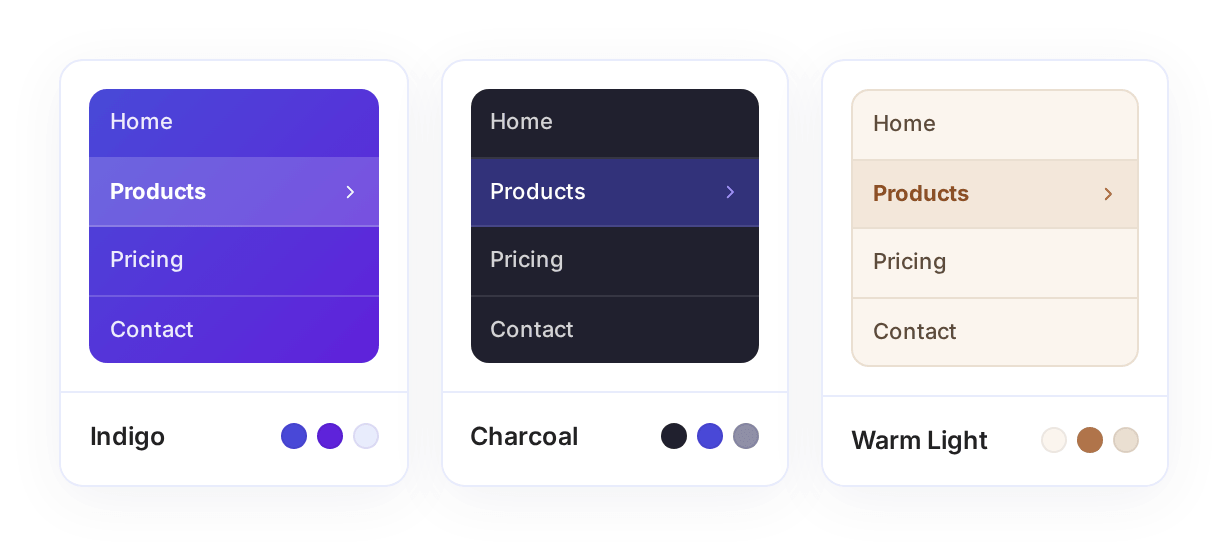
Keep everything consistent with your brand identity. Easily customize fonts, colors, separators and states so your slide menu feels like a natural part of your website.
Responsive
Looks Perfect on Every Device
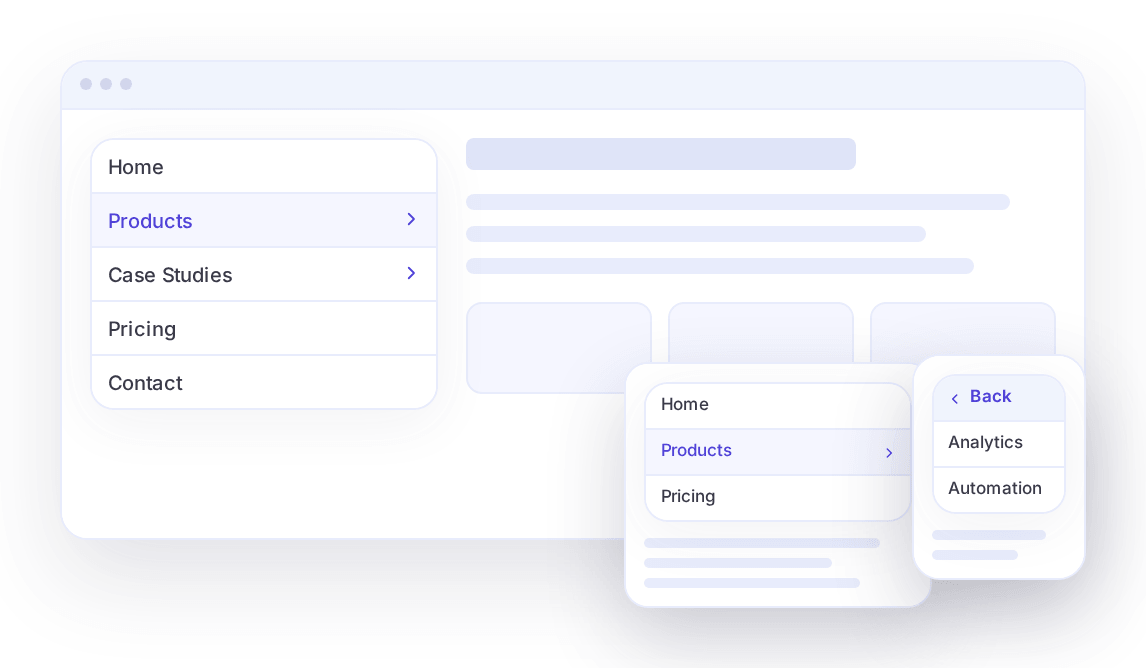
No matter where your visitors come from, your menu will look flawless. Set the width and height per breakpoint, drop it in a sidebar, a footer column or a header, and it keeps working smoothly.
Why Choose PowerPack Slide Menu Widget?
Built for real projects: quick to set up, pleasant to use and dependable on every screen.
Easy to Use
No coding required. Build and customize your sliding menu with a simple, intuitive interface.
Engaging Experience
Give your visitors an interactive navigation experience that feels fast and intuitive.
100% Responsive
From blogs and portfolios to business sites and online stores, this widget works smoothly on all types of websites.
Build Interactive Event Calendars With Elementor
Create beautiful, responsive event calendars without writing a single line of code.
Get Calendar Widget Now