We’re excited to introduce Site Builder for Elementor, a powerful new feature in PowerPack Addons that gives you more control over your website layouts.
With Site Builder, you can create Custom Headers, Footers, and complete WooCommerce Templates, then decide exactly where they appear on your website.
What Can You Build With Site Builder?
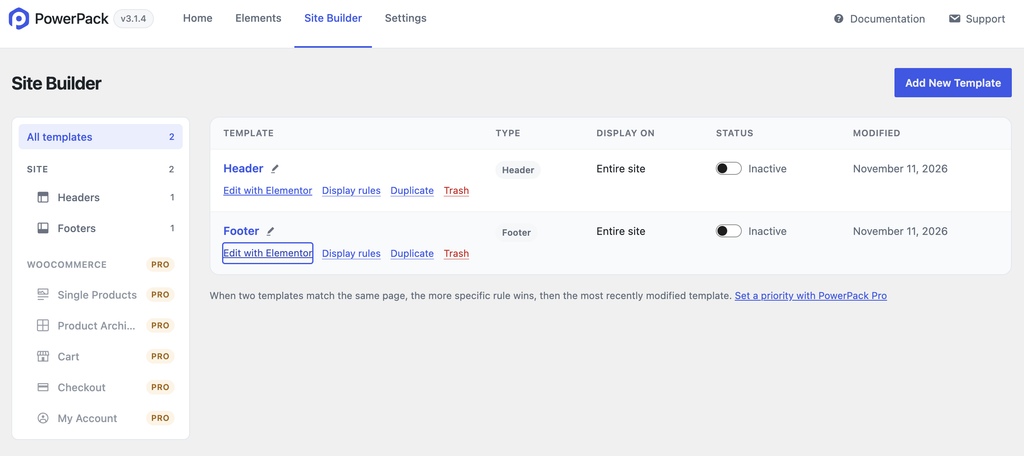
Site Builder lets you create and manage different types of website templates, including:
Site Templates
- Header Templates
- Footer Templates
WooCommerce Templates
- Single Product Templates
- Product Archive Templates
- Cart Templates
- Checkout Templates
- My Account Templates
More Control Over Your Website Templates
Site Builder isn’t just about creating templates. It also gives you flexible options to manage where and how they appear.
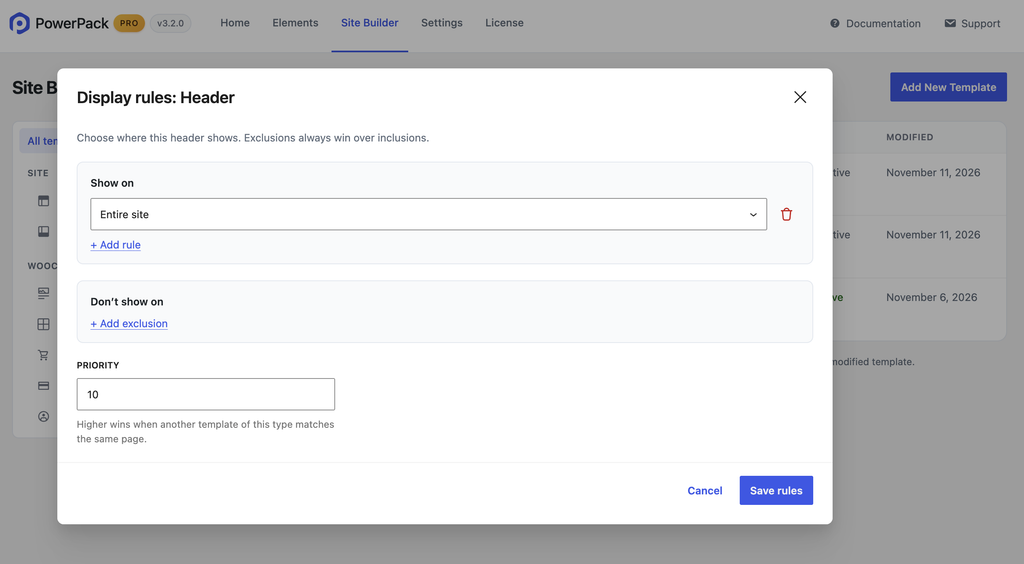
Display Rules: Choose where your templates should appear, such as the entire website, front page, blog page, or specific locations.
Exclusion Rules: Prevent templates from appearing on selected pages by adding exclusion conditions.
Template Priority: When multiple templates of the same type match a page, the template with the higher priority takes precedence.
Take Control of Your Website Header
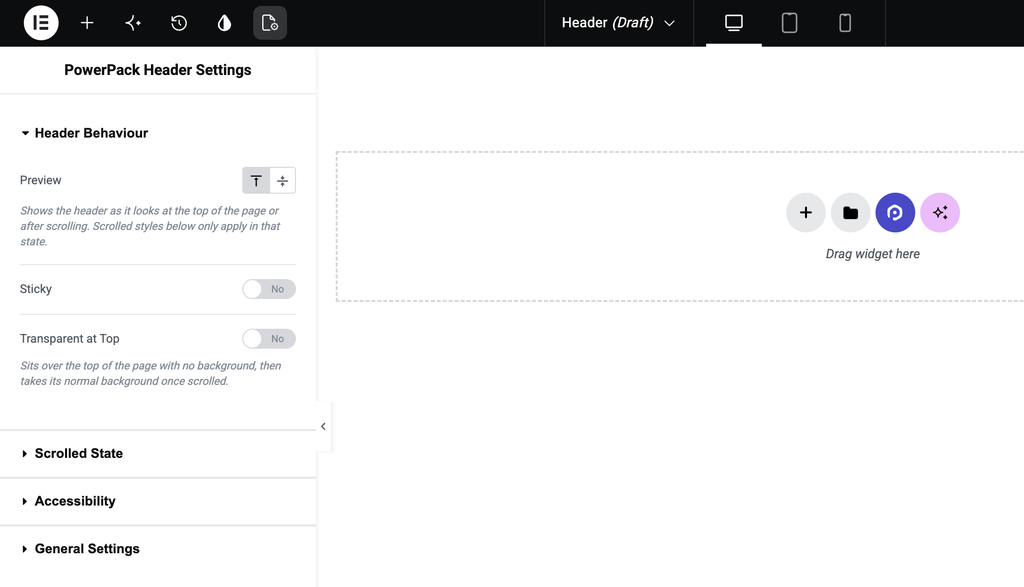
You also get dedicated Header Settings to control how your header looks and behaves.
Flexible Header Behavior: Choose between top-of-page and scrolled states, enable sticky headers for desktop, tablet, or mobile, hide the header on scroll down, and enable a transparent header at the top.
Scrolled State Settings: Control the background color, box shadow, vertical padding, image max height, starting point, and transition duration.
Accessibility Options: Add a Skip to Content link and define its target to make navigation easier.
Ready To Build More With Site Builder?
Create custom headers, footers, and WooCommerce templates. Take control of where they appear and manage your website layouts from one place.
Get started with Site Builder and make more possible with PowerPack Addons for Elementor!
